Login in to the KVM via the web browser to modify each User or Group account.
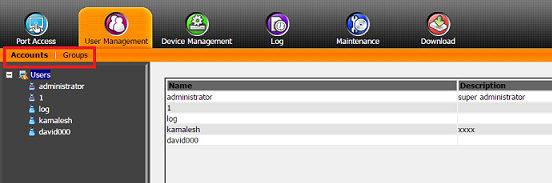
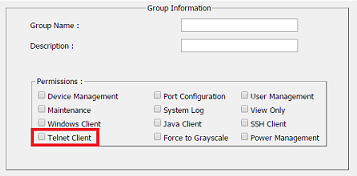
In User Management \ Modifying User or Group accounts, select an individual User or Group account and uncheck the Telnet Client box.
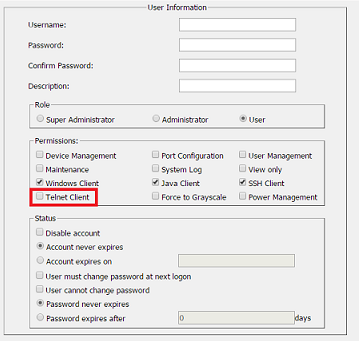
When setting up a User or Group account, under Permissions uncheck Telnet Client box
Below is a link to the user manual, account and group settings are referenced on page 139 and 144.
http://assets.aten.com/product/manual/kn8132v-8164v-w_2016-05-06.pdf






 FAQ Search
 FAQ View




