When installing CCKM service, the error message "Windows error 2 occurred while loading the Java VM" popped up.
This error message is most likely caused by an incorrect Java path, please refer to the diagram below add the corresponding Java path in Windows Environment Variables. Please note to reboot the server after the modification.
 This error message is most likely caused by an incorrect Java path, please refer to the diagram below add the corresponding Java path in Windows Environment Variables. Please note to reboot the server after the modification.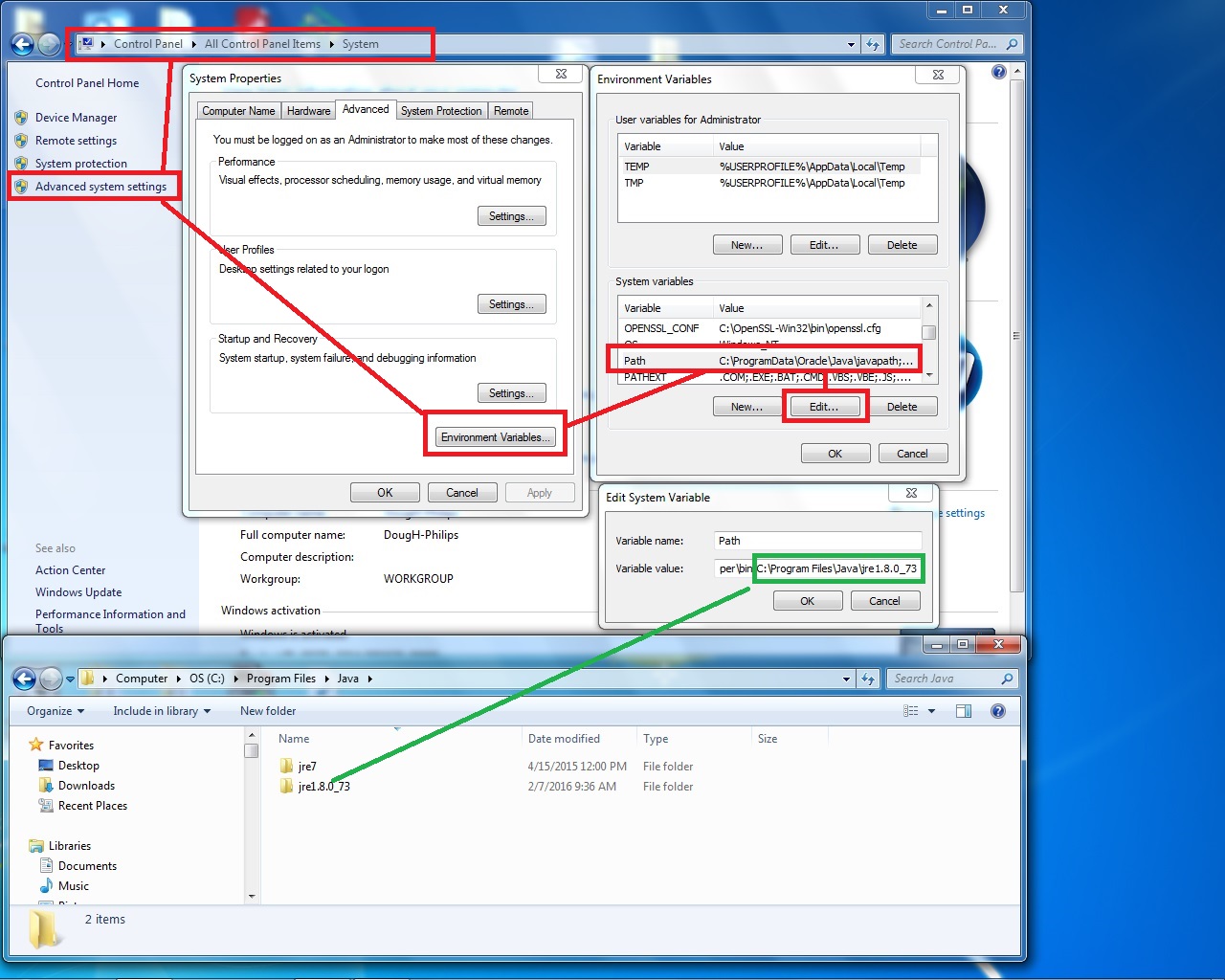







 FAQ Search
 FAQ View




